AI automation: How to redesign one workflow
Learn how AI automation works across existing systems, which steps need an agent, which need simple rules, and which decisions should stay with your team.
Quick Answer
AI automation uses artificial intelligence to interpret information and carry out work within a defined process. The useful starting point is one workflow, not a new tool: map how a request moves through your existing systems, use agents where interpretation is needed, use simple automation for fixed rules, and keep consequential decisions with a person.
A customer emails an order. Someone reads it, checks the account, looks up products, enters the details, asks about a missing delivery address, and sends a confirmation.
AI automation can help with that chain. But giving an agent permission to do everything is not the same as designing a reliable process.
The better question is: which parts need interpretation, which parts need rules, and which parts need someone to make a decision?
This guide works through one illustrative order-intake workflow. It is a design example, not a customer result.
What is AI automation, and how does it work?
AI automation combines AI's ability to interpret information with software that takes actions. It can turn an unstructured request, such as an email, into a sequence of checks, system updates and replies.
A typical workflow has five parts:
- A trigger: a request arrives.
- Context: the system retrieves the relevant records and approved policies.
- Interpretation: AI works out what the request means.
- Action: software performs permitted steps.
- Verification: the process checks the outcome and records what happened.
The AI model is only one part. Connections to business systems, permissions, validation and exception handling determine whether the work gets finished safely.
A tool that drafts a reply helps with a task. A workflow that checks the order, collects missing details, creates the record and confirms completion handles a process.
How is AI workflow automation different from traditional process automation?
Traditional process automation follows predefined rules. AI workflow automation adds interpretation where the input does not arrive in a neat, predictable format.
Both belong in the same workflow.
| Approach | Best suited to | Order-intake example | Main limit |
|---|---|---|---|
| Simple automation | Fixed conditions and exact actions | Copy an approved customer ID into an order record | Cannot reliably interpret an ambiguous request |
| AI agent | Language, context and variable requests | Read an email and identify products, quantities and missing details | Can misinterpret information and needs boundaries |
| Human decision | Exceptions, commitments and consequential judgment | Approve an unusual discount or resolve conflicting instructions | Requires someone's attention and availability |
Do not ask a model to calculate an order total when ordinary arithmetic will do. Do not build dozens of brittle keyword rules to understand all the ways a customer might request a delivery change.
Use the least complicated method that can reliably complete each step.
What makes a workflow agentic?
An agentic AI workflow lets an agent choose its next permitted action based on what it finds, rather than follow only one fixed path.
For example, an agent might retrieve an order, discover that the delivery address is missing, ask the customer for it, and continue once they reply. Its choices should still be bounded by approved tools, policies and stopping conditions.
You do not need several agents just because a workflow crosses several systems. Split responsibilities only when that makes ownership, testing or permissions clearer.
Which business process should you automate first?
Start with a recurring workflow that has a clear beginning, a clear finished state and rules your team can explain. Avoid starting with the most unusual or politically sensitive process in the business.
Good candidates often involve:
- Reading requests and extracting details.
- Looking up information in several systems.
- Retyping the same information.
- Asking predictable follow-up questions.
- Producing standard documents.
- Updating records and reporting completion.
Examples include qualifying an inbound inquiry and booking a meeting, handling an order-status request, preparing a recurring report, or collecting invoice details for review.
A frequent task is not automatically a good candidate. If nobody agrees on the policy, automating it will expose that disagreement rather than resolve it.
Use our repeated business work self-assessment to choose a candidate. Then follow one request from arrival to completion, including the parts that happen in spreadsheets, inboxes and people's memories.
How do you redesign one workflow across existing systems?
Redesign the work around a defined outcome, then assign each step to an agent, a rule or a person. Do this before selecting software.
Here is a practical sequence using an emailed order request.
1. Define what “finished” means
An order-intake workflow is not finished when someone extracts the email's contents. It is finished when a valid order is recorded and confirmed, or an exception reaches a named person with the information needed to act.
Write down:
- What starts the workflow.
- What counts as successful completion.
- What can stop it.
- Who owns unfinished requests.
This prevents a local improvement, such as faster data extraction, from leaving the rest of the manual work untouched.
2. Map the current route
Record every system and handoff involved in completing the request.
For this example, the route might be:
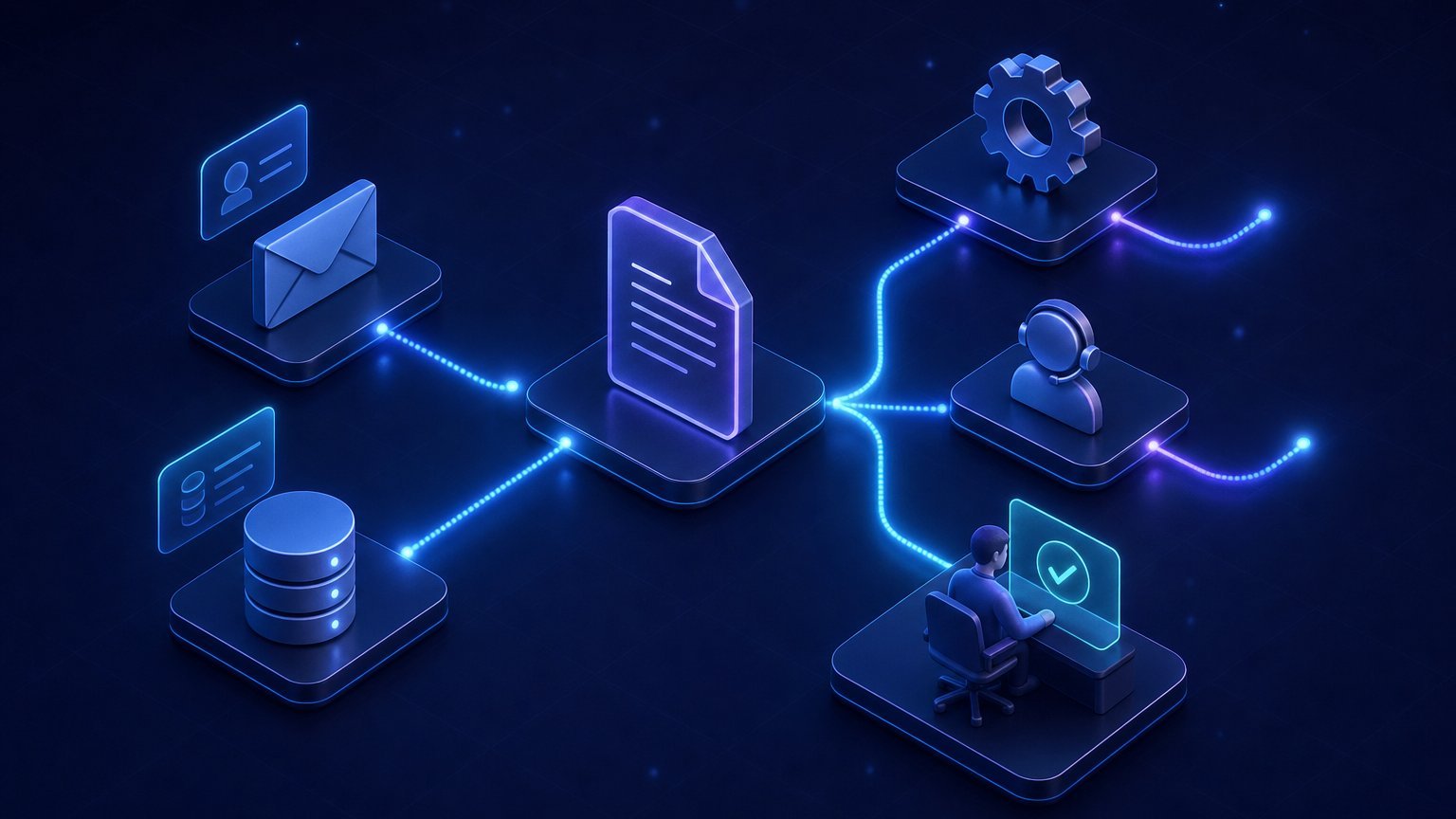
Email inbox → customer record in CRM → product and stock records in ERP → order entry → confirmation email → status report.
For each step, ask what the employee looks up, what they decide, and what they copy elsewhere. Include the follow-up when a customer sends incomplete information.
That is where hidden work tends to appear.
3. Assign interpretation, rules and decisions
Give AI the language work, give deterministic software the exact checks, and give people the exceptions that require authority.
| Step | Who or what handles it? | Boundary |
|---|---|---|
| Recognise an order request and extract details | AI agent | Missing or ambiguous details must be flagged, not invented |
| Match the sender to a customer account | Exact lookup, with agent assistance if needed | Uncertain identity goes to review |
| Map a product description to a catalogue item | Agent proposes; rules validate | Multiple plausible matches require clarification |
| Check quantities, required fields and current records | Simple automation | A failed check blocks order creation |
| Ask for missing information | AI agent | Ask only for details required by the process |
| Approve special pricing or a credit exception | Person | The agent prepares context but cannot approve |
| Create the order and save its reference | Simple automation using approved data | Check for duplicates before writing |
| Send confirmation and update status | Agent plus a verified template | Confirm only what the system successfully recorded |
The important distinction is between interpreting a request and authorising an action. Understanding that a customer wants a discount does not give an agent permission to grant it.
4. Remove unnecessary handoffs
Do not automate every existing step unchanged. Remove steps that exist only because information has to be carried manually between systems.
If someone copies order details into a spreadsheet solely to prepare a weekly report, ask whether the report can read the verified order records instead.
Keep necessary approvals. Remove repeated entry, duplicate checks and messages whose only purpose is to ask whether another step happened.
5. Define the exception path
Every failure needs an owner and a next action. “The AI will escalate” is not enough.
Specify what happens when:
- The customer cannot be identified.
- A product has several possible matches.
- A policy does not cover the request.
- A connected system is unavailable.
- An action succeeds but its confirmation fails.
- The customer changes their request midway through.
The person receiving an exception should get the original request, relevant records, checks already completed and the decision needed.
For more on making that handoff useful, see what human oversight means in practice.
What tools and connections does AI automation need?
AI automation needs access to the right information and a controlled way to act on it. A model without those connections can describe the work, but cannot reliably finish it.
For the order example, assess these capabilities:
| Capability | What to check |
|---|---|
| Intake | Can the workflow receive the complete request and attachments? |
| Business knowledge | Which source governs products, pricing and policies? |
| Record lookup | Can it retrieve current customer, stock and order information? |
| Actions | Can it create or update only the permitted records? |
| Workflow state | Can it remember whether it is waiting for a reply or approval? |
| Verification | Can it confirm that an action actually succeeded? |
| Audit trail | Can the team reconstruct what happened and why? |
Prefer supported APIs or native integrations where available. An older system needs a connection assessment, not an automatic replacement.
Tool selection comes after the workflow design. Otherwise, you risk choosing a tool that reads emails well but cannot perform the required account check or return an exception to the right team.
How do you test AI automation before trusting it?
Test the complete workflow against real past requests, including awkward cases. A good answer is not enough if the wrong record gets updated.
Build a test set with the people who do the work. Include:
- A complete, routine request.
- Missing or contradictory details.
- An unknown customer.
- An ambiguous product name.
- A repeated request that could create a duplicate.
- A request outside policy.
- A system failure after part of the work succeeds.
Define the expected answer, action or escalation for each case. Verify the actual system changes, not just the agent's explanation.
Start by observing proposed actions without allowing live writes. Then permit a limited scope of low-risk work, with approval for sensitive actions and a way to stop the workflow.
An agent should not blindly retry a failed order submission. It should first establish whether an order was created.
How do you measure whether business AI automation is worthwhile?
Measure completed work, remaining human effort and errors against the same workflow before automation. Faster replies alone do not prove the process improved.
Useful measures include:
- Time from request to verified completion.
- Human handling time, including reviews and corrections.
- Requests completed within the permitted scope.
- Exceptions and their causes.
- Incorrect or duplicate system updates.
- Ongoing operating and maintenance costs.
Use your own request volume and handling time to assess the opportunity. Our AI automation ROI guide explains that calculation without borrowing savings figures from another business.
Also check where work moved. If agents process intake faster but create a new approval backlog, the workflow still needs redesign.
How can we help implement the workflow?
We connect agents to the software your team already works in, rather than making a replacement system the starting point. Their approved business knowledge comes from a shared source we call the Brand Core.
Where an existing accelerator covers the work, we customise it for your systems without requiring an audit first. For example, our Operations Agents can prepare documents, update records and carry out multi-step work with approval points.
For a workflow outside those accelerators, we start with an AI Opportunity Audit. We map the process with your team, establish its current baseline, separate agent work from rules and human decisions, and agree on the first build.
Custom deployments begin alongside the team in shadow mode, then take on a limited share of live work before expanding. Permissions, action logs, monitoring, output checks and approval for sensitive steps are part of the deployment.
Bring one workflow to the conversation: where it starts, which systems it touches, how often it happens and where someone has to intervene. You do not need to arrive with an agent design.
FAQ
Is AI automation hard to learn?
Understanding AI automation does not require programming: start by mapping a process and distinguishing interpretation from fixed rules. Building a dependable production workflow is more demanding because it involves integrations, permissions, testing and failure handling. The learning effort depends on what the workflow can change and how much risk those changes carry.
Which AI is used for automation?
Language models are commonly used to interpret messages, extract information and draft responses. Other processes may use document recognition, classification or predictive models. Exact calculations, access checks and record validation are usually better handled by conventional software than by a language model.
Can you provide some examples of AI workflow automation?
Examples include reading an inquiry, collecting qualification details and booking a meeting, or interpreting an order request and preparing a validated order. A support workflow might identify the request, retrieve the relevant account information and complete an allowed change. In each example, exceptions and sensitive decisions should have a defined human owner.
How much does AI automation make?
AI automation does not have a standard earning level. If you mean business value, it depends on your workload, current handling costs, remaining review work and operating costs. If you mean a job or agency income, that is a separate question shaped by the role, market and services delivered.
Can AI automate an entire business process?
AI can handle much of a bounded process when the necessary information, connections and rules are available. That does not mean every step should use AI or every decision should be autonomous. A well-designed process combines agent work, simple automation and human approval.
What is the difference between an AI agent and an AI workflow?
An AI agent interprets information and selects actions within its permissions. An AI workflow is the broader process containing triggers, agents, rules, system connections, approvals and completion checks. One workflow can use one agent, several agents or no agent at all in its rule-based sections.
See how this applies in practice with Dapto Workbench - an AI work platform for reports, documents, data checks, and other repeatable business work.
Learn more