How to Run AI Across a Team Without Losing Control
Your team is using AI already. The question is whether you have visibility, consistency, and governance or whether everyone is doing their own thing. Here is the practical playbook for managed team AI.
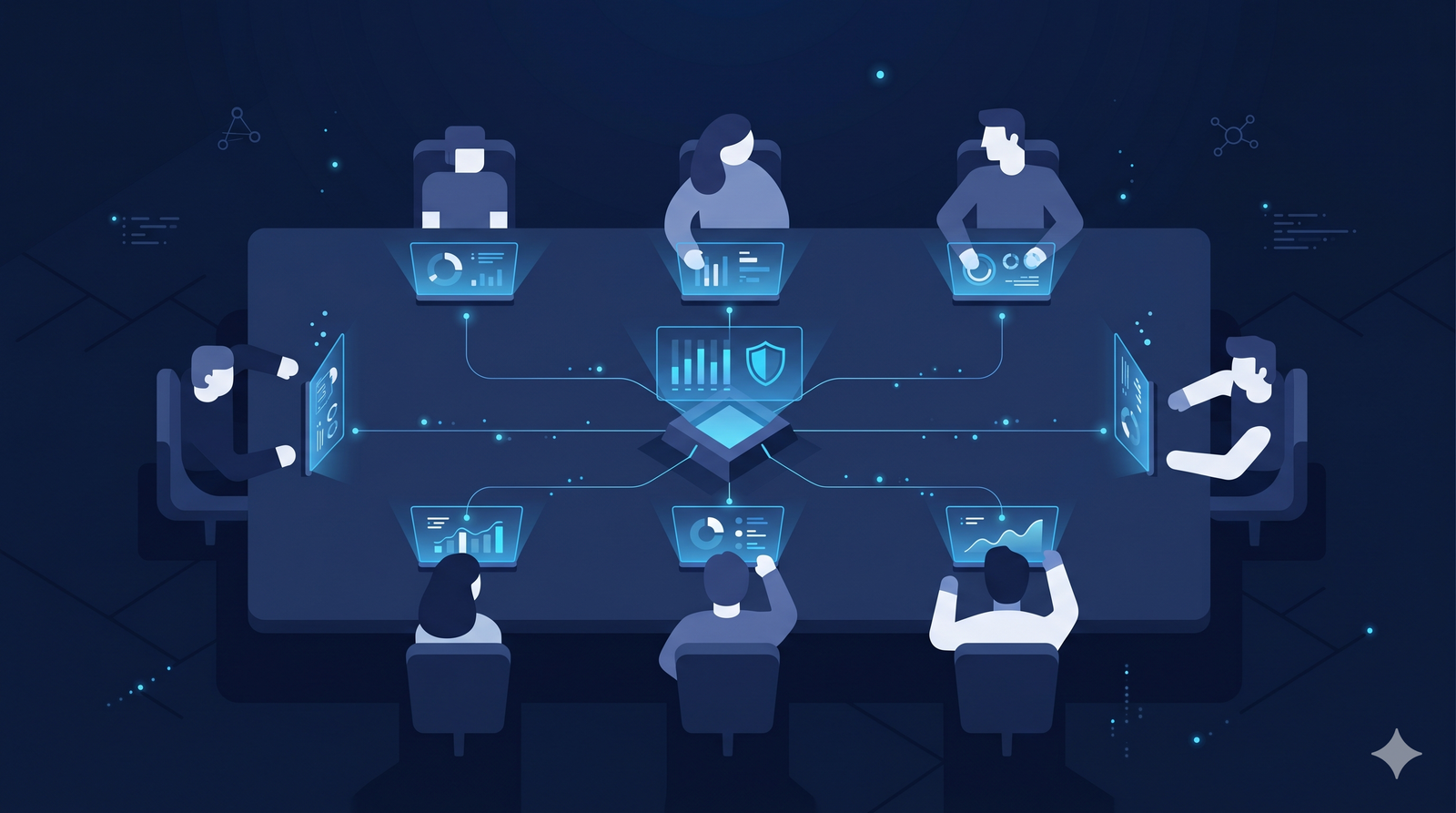
Your team is already using AI. The question is not whether to allow it. The question is whether you manage it or let it manage itself.
In most organizations, AI adoption happened from the bottom up. Individual team members started using ChatGPT, Claude, or Gemini on their own. They got results. They kept using it. By the time management noticed, half the team had personal AI subscriptions, each using different tools, different prompts, and different data handling practices.
This organic adoption creates real value. Employees are genuinely more productive. But it also creates real problems: no visibility into what tools are being used, no consistency in how AI work gets done, no shared learning between team members, and no governance over how sensitive data is handled.
This guide provides a practical playbook for transitioning from unmanaged individual AI usage to managed team AI that preserves the productivity gains while adding the visibility, consistency, and control your organization needs.
The Five Problems With Unmanaged Team AI
1. Invisible Usage
When each person uses their own AI tool with their own account, leadership has no visibility into what is happening. How many team members are using AI daily? What types of data are being processed? Which clients' information has been entered into consumer AI tools? Without a shared platform, these questions are unanswerable.
2. Inconsistent Quality
Different team members using different tools with different prompts produce inconsistent output. One person's competitive analysis looks completely different from another's, even when they are analyzing the same market. There is no standardization of approach, no quality baseline, and no way to ensure that AI-assisted work meets team standards.
3. Duplicated Effort
When someone on the team develops an excellent prompt for client research, that knowledge stays locked in their personal account. Their colleague doing similar research the next day starts from scratch. Across a team of 20, the same types of prompts get written and refined dozens of times independently.
4. Zero Governance
Personal AI accounts have no audit trails, no data protection, and no policy enforcement. For teams handling client data, regulated information, or confidential business strategy, this is not just an inconvenience. It is a liability.
5. Uncontrolled Costs
When subscriptions are purchased individually, nobody tracks total AI spend. A team of 20 with an average of 2.5 AI subscriptions each at $20 per month is spending $12,000 per year on AI tools without any central budget, any volume discount, or any ability to optimize spend.
The Playbook: Four Phases
Phase 1: Gain Visibility (Week 1)
Before changing anything, understand what is happening now.
Audit current tools. Survey the team to identify which AI tools everyone uses, how frequently, and for what types of tasks. Pull expense reports for the last three months to identify AI subscriptions being expensed. Check with IT for any AI-related SaaS applications in use.
Map workflows. Identify the most common AI use cases across the team. Common categories include research and analysis, content creation, data processing, code generation, and client communication drafting. Understanding which tasks the team uses AI for most frequently determines which capabilities matter most in a shared platform.
Calculate current spend. Total all individual AI subscriptions across the team. Include direct subscriptions, expensed tools, and any API costs. This number becomes the baseline against which consolidation savings are measured.
Phase 2: Consolidate to a Shared Platform (Weeks 2 to 3)
Select a platform that provides multi-model access, shared workspaces, team collaboration features, and governance controls. Deploy it to a pilot group first (five to ten team members) before rolling out to the full team.
Migration criteria. The shared platform must match or exceed the capabilities of the individual tools team members are currently using. If the shared platform is worse than what people already have, they will keep using their personal tools.
Workspace structure. Organize workspaces by client, project, or function depending on how your team operates. Each workspace should contain its own conversation history, documents, and prompts. Team members should be able to access the workspaces relevant to their work while maintaining separation between different clients or projects.
Prompt libraries. As part of migration, collect the best prompts and workflows team members have developed individually. Organize these into a shared prompt library that everyone can access. This is one of the highest-value activities in the consolidation process because it distributes months of individual learning across the entire team instantly.
Phase 3: Establish Governance (Weeks 3 to 4)
With the team on a shared platform, implement the governance controls that were impossible with individual subscriptions.
Data handling policies. Define which types of data can be processed through the AI platform and which cannot. Classify data into categories (public, internal, confidential, restricted) and map each category to appropriate handling rules.
Audit logging. Enable comprehensive logging of all AI interactions. This creates the audit trail that compliance, legal, and security teams require.
Access controls. Set up role-based access so that team members can access the workspaces and capabilities appropriate to their role. Not everyone needs access to every client workspace or every AI model.
Cost controls. Set per-user or per-team spending limits. Monitor usage patterns to identify optimization opportunities.
Phase 4: Optimize and Scale (Ongoing)
After the initial rollout, the focus shifts to continuous improvement.
Track adoption. Monitor how many team members use the shared platform daily versus reverting to personal tools. Low adoption signals that the shared platform is not meeting needs.
Refine prompts. The shared prompt library should evolve continuously. Encourage team members to contribute new prompts that work well and retire prompts that produce inconsistent results.
Measure impact. Track productivity metrics: time to complete common deliverables, output quality assessments, client satisfaction, and cost per deliverable. These metrics justify continued investment and identify areas for improvement.
Expand model usage. As the team becomes comfortable with the platform, introduce model routing so that different task types automatically go to the model best suited for them. Most teams start by using one familiar model and gradually expand to take advantage of multi-model capabilities.
What Good Looks Like
A well-managed team AI deployment has several visible characteristics.
Everyone uses the same platform. There are no rogue personal subscriptions. All AI work happens in a shared, governed environment.
Work is visible. Leaders can see what types of AI work the team is doing, how frequently, and at what cost. This is not about surveillance. It is about management visibility into a major productivity tool.
Knowledge compounds. When one team member develops an effective approach, the whole team benefits through shared prompts, templates, and workflows.
Quality is consistent. Deliverables produced with AI assistance follow team standards regardless of which team member created them.
Costs are predictable. One invoice. One budget line. Clear visibility into what is being spent and what value is being delivered.
Compliance is built in. Audit trails, data protection, and policy enforcement happen automatically without requiring individual team members to remember and follow manual procedures.
Common Mistakes
Choosing the cheapest platform. The cheapest AI tool is expensive if it does not meet team needs and people revert to personal subscriptions. Evaluate platforms on total value (models, collaboration, governance) not just per-seat cost.
Rolling out to everyone at once. Start with a pilot group that represents different roles and use cases. Fix issues and refine the setup before expanding. Rolling out a poorly configured platform to 50 people creates 50 frustrated users instead of 5 fixable problems.
Ignoring change management. People have habits and preferences. Switching from a personal AI tool they know well to a shared platform requires communication about why the change is happening (better collaboration and governance, not monitoring) and support during the transition.
Over-governing from day one. Start with basic governance (data classification, audit logging) and add more controls as the team matures. Launching with 50 restrictive policies on day one guarantees resistance and workarounds.
The Bottom Line
The gap between "everyone uses AI on their own" and "the team uses AI together" is where organizations lose productivity, money, and control.
Unmanaged AI is not free. The duplicate subscriptions, lost context, inconsistent quality, and governance gaps cost more than a properly managed shared platform. The transition from individual to team AI is a one-time effort that pays continuous dividends in productivity, collaboration, and risk reduction.
Your team is already using AI. The only question is whether they do it together or apart.